Windows

30 January 2012 ~ 0 Comment

MSN Visualizer – A visually appealing music showcase

music-showcase

Ever wanted to enjoy music while watching beautiful handpicked pictures? MSN Visualizer, does just that for you. It is a music showcase app developed by Swiss design house Hinderling Volkart. The app pulls pictures from Flickr and song lyrics to render music videos for a group of tracks. The lyrics for the songs are shown on the screen word by word and they sync perfectly with the song.

01 October 2011 ~ 0 Comment

Fix computer hanging issue while applying user settings

Even though Windows Vista has now been more or less replaced by its successor Windows 7, there are some people who use Vista as their operating system. If you are a user of Windows Vista, you must have come across the issue when the computer hangs while applying Computer Settings in the login process. This issue is also seen in Windows Server 2008. But with a quick hotfix, you can easily solve the issue.

Tags:

20 September 2011 ~ 0 Comment

Illusions theme for Windows 7 by Josh Sommers

windows7-themes

Windows 8 has already been released as developer preview by Microsoft. But it will take long before Windows 7 starts losing its charm. Windows 7 has lots of options for OS customization and enhancement of its visual appeal. A lot of cool Windows 7 themes are available for free. If you are looking for a creative and totally unique theme, you would be interested in the Illusions theme created by Josh Sommers.

05 September 2011 ~ 0 Comment

How to easily add programs to run at startup

There are some programs and software on your computer that you cannot live without. Be it your favorite browser, your music software or any other software related to your profession; there are always a couple of them that you use everyday. Wouldn’t you like to open up such programs at startup without firing them up one by one once you start your computer? Well here is a simple trick to choose programs that you would like to kick start automatically after your computer starts.

Tags: ,

03 August 2011 ~ 2 Comments

How to speed up booting time in Windows

startuptimefaster

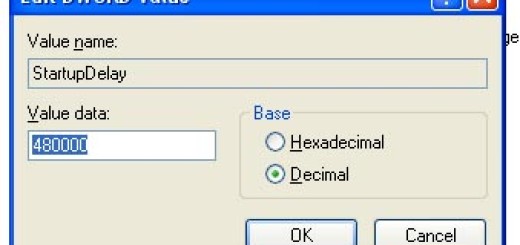
Who wouldn’t want to use a faster PC. Sometimes, we get so annoyed with our computers when they take minutes after minutes to boot up. Wouldn’t you want your computer to boot faster without doing much? Here is a registry trick that can considerably lower the startup time of your computer.

17 June 2011 ~ 0 Comment

Improve Your Mac’s Performance – 7 Quick Fixes

Drive Genius

Mac users are not plagued by computer slowdowns to the same degree as Windows users are, who, Over time, may be troubled by computer performance that declines markedly. This is not to say, however, that Mac users are immune to the problems of computer slowdowns and other glitches. They may also put up with machines that run slower than they need to. Here are some tips for improving your Mac’s performance.

14 June 2011 ~ 0 Comment

Designing a website using Turnkey virtual appliance

Aside from death and taxes, there are not a whole lot of universal certainties one can rely on. When it comes to the Internet, however, one thing is for certain: it just gets bigger and bigger every day. As the Internet gets bigger, websites become more and more sophisticated, with complexities that can cause the average web developer premature aging, insanity and other disorders if website development isn’t taken care of properly. Yes, it is that serious. While the 20th century term for occupational madness may have been “going postal,” the new 21th century term should definitely be “going web developer.”

09 June 2011 ~ 0 Comment

How to enable Add to Quick Launch in Windows XP

addtoquicklaunch

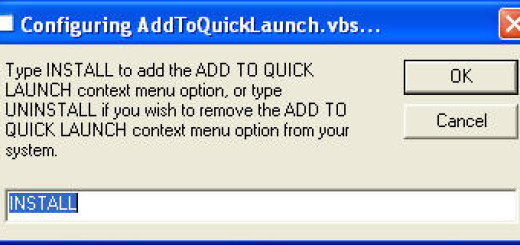
Windows Vista has a very useful feature that lets you add items to the Quick Launch Folder. The Add to Quick Launch option that can be seen in the context menus upon right clicking on an icon lets you add a shortcut of the item to the Quick Launch Folder. This feature however lacks in Windows XP and older versions of Windows. Here is a tool that lets you enable add to quick launch in Windows XP.

06 May 2011 ~ 3 Comments

With Windows 7 you don’t need to manually defrag your drives

Windows has an inbuilt defragmentation tool and there are plenty of other commercial defragmentation software as well. Running defragmentation regularly in a couple of weeks or months considerably enhances the speed of your system. But sometimes you may forget or even worse, you gradually give up the habit. But thanks to Windows 7 that automatically defrags your hard disk by default.

24 April 2011 ~ 0 Comment

Enable Godmode in Windows 7

From control panel, you cannot customize the settings than you could with Godmode. Godmode is a folder that lets you customize your PC for a wide range of settings from a single place.